

Planning a dream trip should be exhilarating, but the reality often involves a chaotic digital mess of screenshots from TikTok, saved Instagram locations, scattered notes, and an overwhelming number of browser tabs. This jumble of inspiration can quickly lead to planning fatigue, turning excitement into a chore. The right travel itinerary planner app transforms this disjointed collection of ideas into a streamlined, actionable plan, ensuring you spend less time organizing and more time experiencing.
This guide is designed to cut through the clutter and help you find the perfect tool for your specific travel style. Whether you're a solo adventurer optimizing a flexible schedule, a couple planning a weekend getaway, or a family coordinating a multi-day vacation, the ideal app is waiting. We will dive deep into a curated list of the best platforms, evaluating them on core features like social media integration, intelligent route optimization, collaborative planning tools, and offline access.
Each review provides a comprehensive look at the app's strengths and weaknesses, complete with pricing details, practical tips for use, and our recommendation for who it suits best. You will find direct links and screenshots to see the apps in action. Navigating the crowded app stores can be tricky, as developers constantly compete for visibility. If you're curious about how apps get to the top of your search results, this guide on what App Store Optimization (ASO) is and how it works offers a great explanation of the behind-the-scenes process. Our goal is simple: to provide a clear, practical resource that helps you choose the best travel itinerary planner app to build your next unforgettable journey, from the first spark of an idea to your final departure.
1. Dream Trip
Dream Trip emerges as a standout travel itinerary planner app, expertly designed for the modern, social-media-savvy traveler. Its core strength lies in its ability to rescue travel inspiration from the "scroll graveyard" of saved social media posts. The app directly integrates with platforms like TikTok, Instagram, and Google Maps, allowing you to save a location with a single tap from your phone's share menu. This action instantly extracts the precise location, adds it to a unified map, and automatically organizes it by city, eliminating the need for cumbersome screenshots or manual data entry.
Why It Stands Out: AI-Powered Planning
What truly sets Dream Trip apart is its integrated AI engine. Once your saved spots are on the map, you can use a simple drag-and-drop interface to build a day-by-day schedule. The AI then steps in to optimize your route, suggesting the most efficient order to visit places and estimating realistic timing.
It also features an AI travel assistant that acts like a personal concierge. For actionable insights, you can ask it questions like, "What's the best local coffee shop near the Eiffel Tower for under €5?" or "Is early October a good time to visit Tokyo for fall colors?" This transforms a static plan into a dynamic, responsive guide packed with local know-how.
Key Features and Practical Tools
- One-Tap Social Saving: Seamlessly captures and organizes places from TikTok, Instagram, and Google Maps.
- Unified City Maps: All your saved locations for a destination appear on a single, interactive map, making it easy to visualize your trip.
- AI Itinerary Optimization: Intelligently schedules your days by optimizing routes, timing, and pacing to minimize travel time.
- Free Planning Resources: The app includes valuable built-in tools like a Trip Cost Calculator and Best Time to Visit guides. For those starting from scratch, the platform's AI itinerary generator can create a full plan in seconds.
Pricing and Availability
Dream Trip is promoted as free to download on the App Store, making its powerful core features highly accessible. However, detailed information about potential premium tiers, subscription costs, or feature limitations is not published on the website. Additionally, its primary marketing focus is on iOS, so availability on Android or a web platform is unclear.
Best for: Social media-savvy travelers, weekenders, digital nomads, and groups who want to convert online inspiration into well-organized, optimized travel plans.
Visit the Website: https://www.thedreamtrip.app
2. TripIt
TripIt has long been the gold standard for travelers who need to consolidate and organize booking confirmations automatically. Its core strength lies in its simplicity and powerful email parsing. You simply forward your flight, hotel, rental car, and event booking emails to a specific TripIt address, and it magically assembles them into a chronological master itinerary. This is an exceptional tool for business travelers or anyone juggling multiple reservations who needs a single, reliable source of truth for their plans.
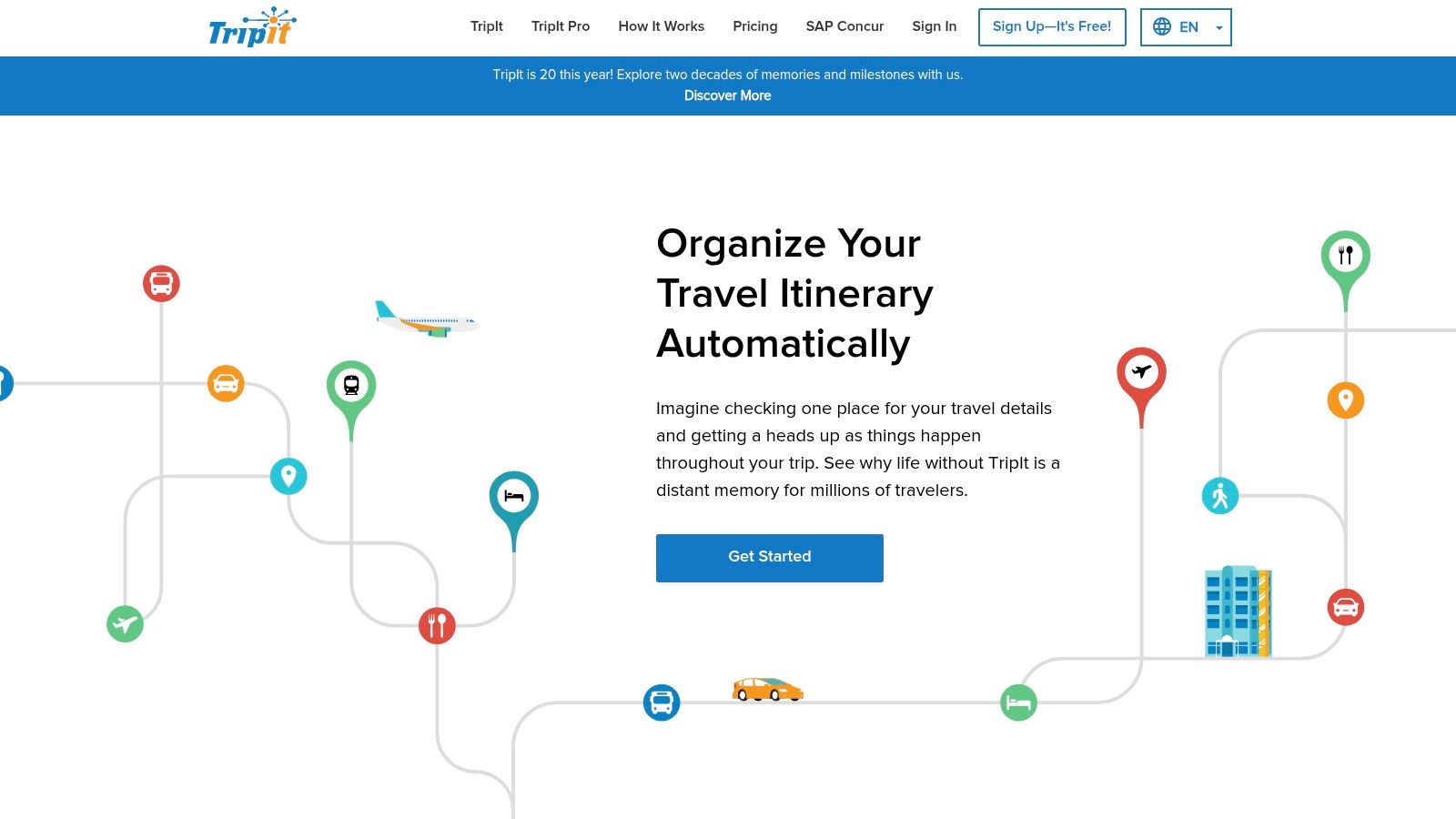
While the free version excels at organizing logistics, the premium TripIt Pro subscription is where this travel itinerary planner app truly shines, especially when flights are involved. For an annual fee, it transforms into a proactive travel assistant.
Key Features & User Experience
TripIt Pro provides real-time flight status alerts—often faster than the airlines themselves—and helps you find alternate flights if yours is canceled or delayed. Actionable Tip: Use the Seat Tracker feature well in advance to get alerts for better seats (like exit rows) as they open up. It also monitors airfare for potential refunds if the price drops after you book. The interface is clean and functional, prioritizing information clarity over aesthetics. It focuses less on the discovery and day-to-day activity planning and more on flawlessly managing the confirmed logistics of your trip.
Website: TripIt
Best For: Business travelers and frequent flyers who need a robust, automated system for managing complex booking logistics and staying ahead of flight disruptions.
Pricing:
- Free: Core itinerary organization by forwarding emails.
- TripIt Pro: $49 per year for real-time flight alerts, fare tracking, seat tracking, and more.
| Pros | Cons |
|---|---|
| Effortless Itinerary Creation: Automatically parses booking confirmations. | Paywalled Features: The most powerful tools require a Pro subscription. |
| Powerful Flight Tools: Pro version offers best-in-class flight monitoring. | Limited Discovery: Not designed for planning daily activities or finding new spots. |
| Reliable & Cross-Platform: Works consistently across web and mobile apps. | Functional, Not Flashy: The user interface is more utilitarian than inspirational. |
3. Wanderlog
Wanderlog excels as a collaborative trip planner, making it a standout choice for groups, families, and anyone embarking on a detailed road trip. It masterfully combines itinerary planning with an interactive map, allowing you to visually organize your days. Users can add places from guides, articles, or their own research, and Wanderlog automatically plots them, showing optimized routes and estimated travel times between each stop. This visual, map-based approach is its core strength, transforming a list of places into a logical and efficient travel plan.
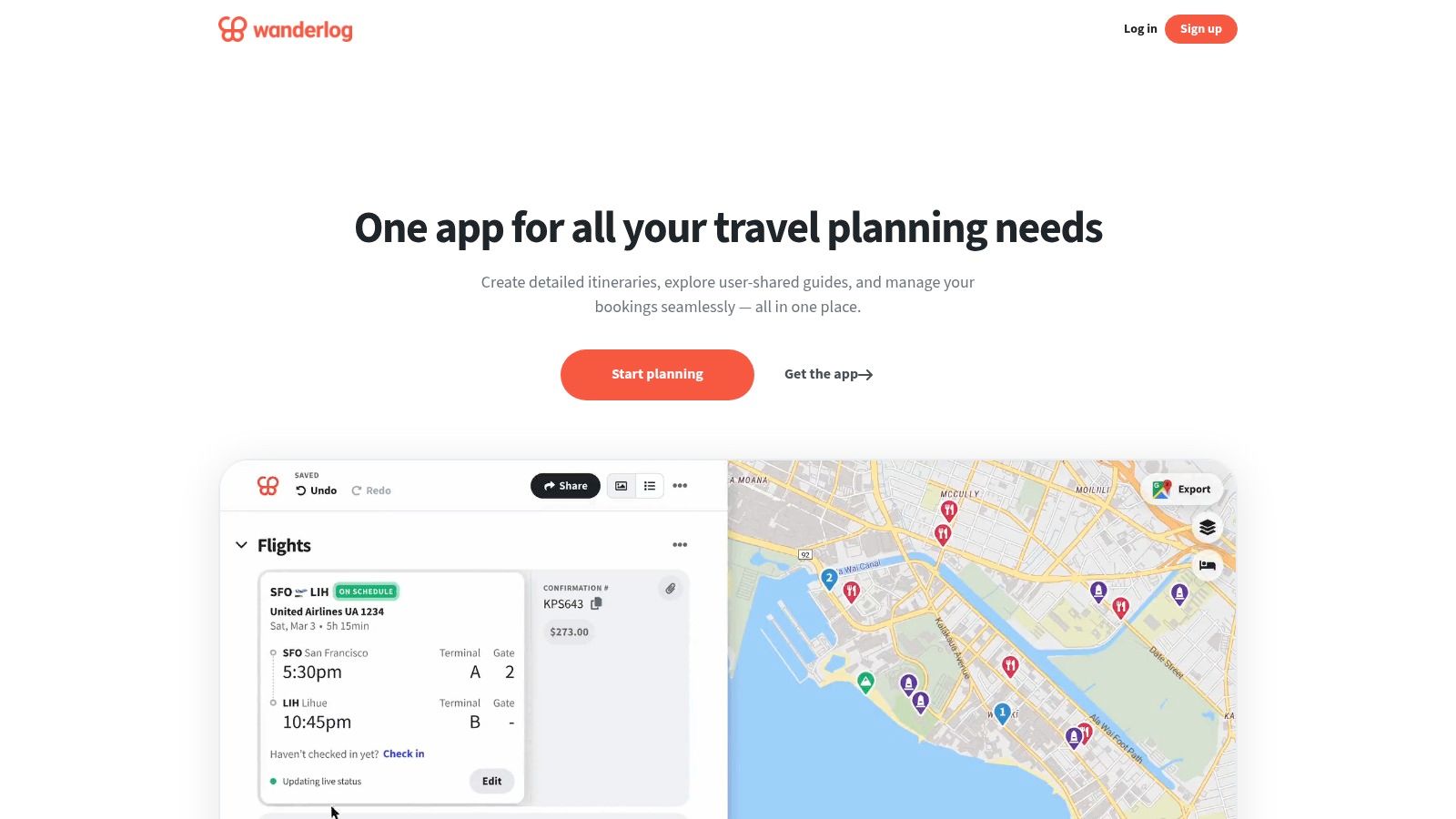
Its real-time collaboration features are seamless, letting multiple users add points of interest, leave comments, and edit the schedule simultaneously. Beyond just planning, Wanderlog also integrates practical tools like expense splitting, packing checklists, and the ability to attach notes or booking documents, centralizing all trip information. While the free version is incredibly robust, the Pro subscription unlocks key features for on-the-go use.
Key Features & User Experience
Wanderlog’s drag-and-drop interface is highly intuitive, making it easy to rearrange activities and craft a day-by-day schedule. Actionable Tip: When planning a road trip, use the "Optimize Route" feature for each day to automatically reorder your stops for the most efficient path, saving you gas and time. For those planning with others, the integrated expense tracker simplifies splitting costs for things like gas, meals, or accommodations. The Pro version enhances the experience with offline map access and the ability to export your finalized plans directly to Google Maps for easy navigation during your trip.
Website: Wanderlog
Best For: Groups, families, and road-trippers who need a visual, map-based tool for collaborative planning and route optimization.
Pricing:
- Free: Unlimited trips, places, and collaborators.
- Wanderlog Pro: $49.99 per year for offline access, unlimited photo/file uploads, and exporting to Google Maps.
| Pros | Cons |
|---|---|
| Excellent for Road Trips: Automatically optimizes routes and shows travel times. | Advanced Tools are Paywalled: Offline access and exports require a Pro subscription. |
| Seamless Group Collaboration: Real-time editing and integrated expense splitting. | Occasional Sync/Export Issues: Some users have reported minor bugs with data syncing. |
| Generous Free Tier: Most core planning features are available without a subscription. | Interface Can Feel Busy: The map and itinerary view can be dense with information on complex trips. |
4. Roadtrippers
For those who believe the journey is the destination, Roadtrippers is the ultimate travel itinerary planner app. It’s built from the ground up for the specific needs of road travel, particularly within the United States. Its core function is powerful multi-stop route optimization, allowing you to plot a course with up to 150 stops while discovering millions of unique points of interest along the way, from quirky roadside attractions and scenic viewpoints to national parks and local diners.
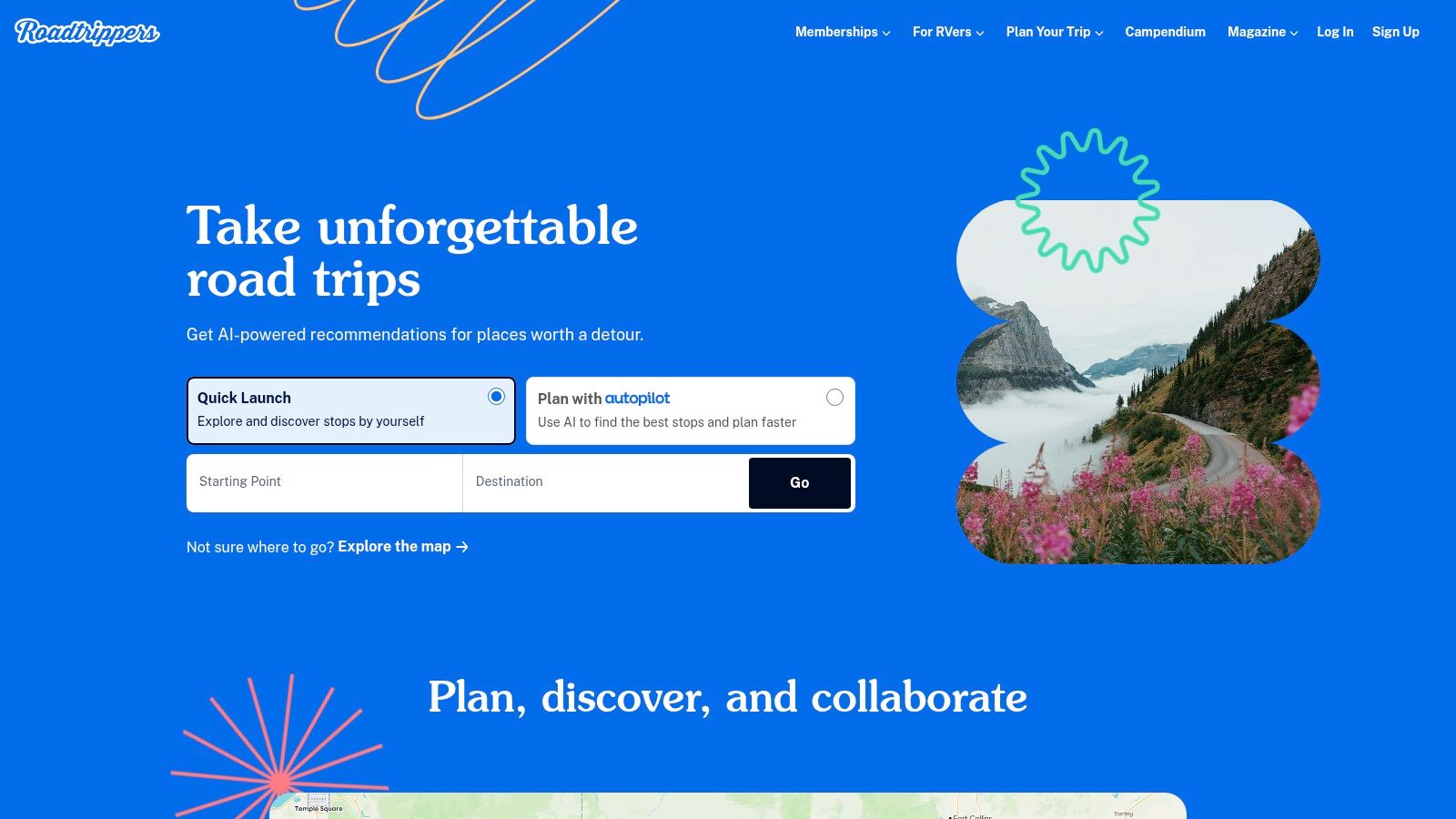
This U.S.-centric focus is its greatest strength, offering a depth of discovery that general mapping tools can't match. It’s less about organizing booking confirmations and more about crafting the perfect, adventure-filled drive. For a deeper dive into crafting your journey, see our guide on how to plan a road trip for more tips.
Key Features & User Experience
Roadtrippers shines with its massive, curated database of off-the-beaten-path locations. The platform also offers an "Autopilot" AI feature that generates a starter itinerary you can customize. For RV travelers, the premium version is indispensable, offering RV-friendly routing that accounts for vehicle height and weight, propane restrictions, and provides warnings for steep grades. Actionable Tip: Use the "Extraordinary Places" filter to uncover truly unique local gems you'd otherwise miss. Plan your gas stops in advance, as services can be sparse on scenic backroads.
Website: Roadtrippers
Best For: U.S. road trippers, RV owners, and adventurous travelers who want to discover unique points of interest and scenic routes between destinations.
Pricing:
- Free: Basic trip planning with up to 7 waypoints.
- Roadtrippers Plus: $35.99 per year for up to 150 waypoints, offline maps, collaboration, and RV-friendly routing.
| Pros | Cons |
|---|---|
| Deep POI database for U.S. road travel: Uncovers hidden gems and roadside attractions. | Full feature set requires paid membership: The free version is quite limited for serious planning. |
| Specialized RV routing features: Essential for safe and efficient RV travel in the U.S. | U.S.-centric: RV routing and some advanced tools are U.S.-only, limiting its global use. |
| Clear membership tiers: Often runs promotional pricing, making the Plus plan accessible. | Less focus on logistics: Not designed for managing flights or hotel booking confirmations. |
5. Google Travel and Google Maps trip planning
Google’s ecosystem offers a powerful, natively integrated suite of tools that have evolved into a formidable free trip planner. By combining Google Travel for research and booking with Google Maps for visualization and navigation, it creates a seamless workflow from discovery to execution. Users can save points of interest, hotels, and restaurants to custom lists, which then appear directly on their map, making it easy to see geographic clusters and plan daily routes.
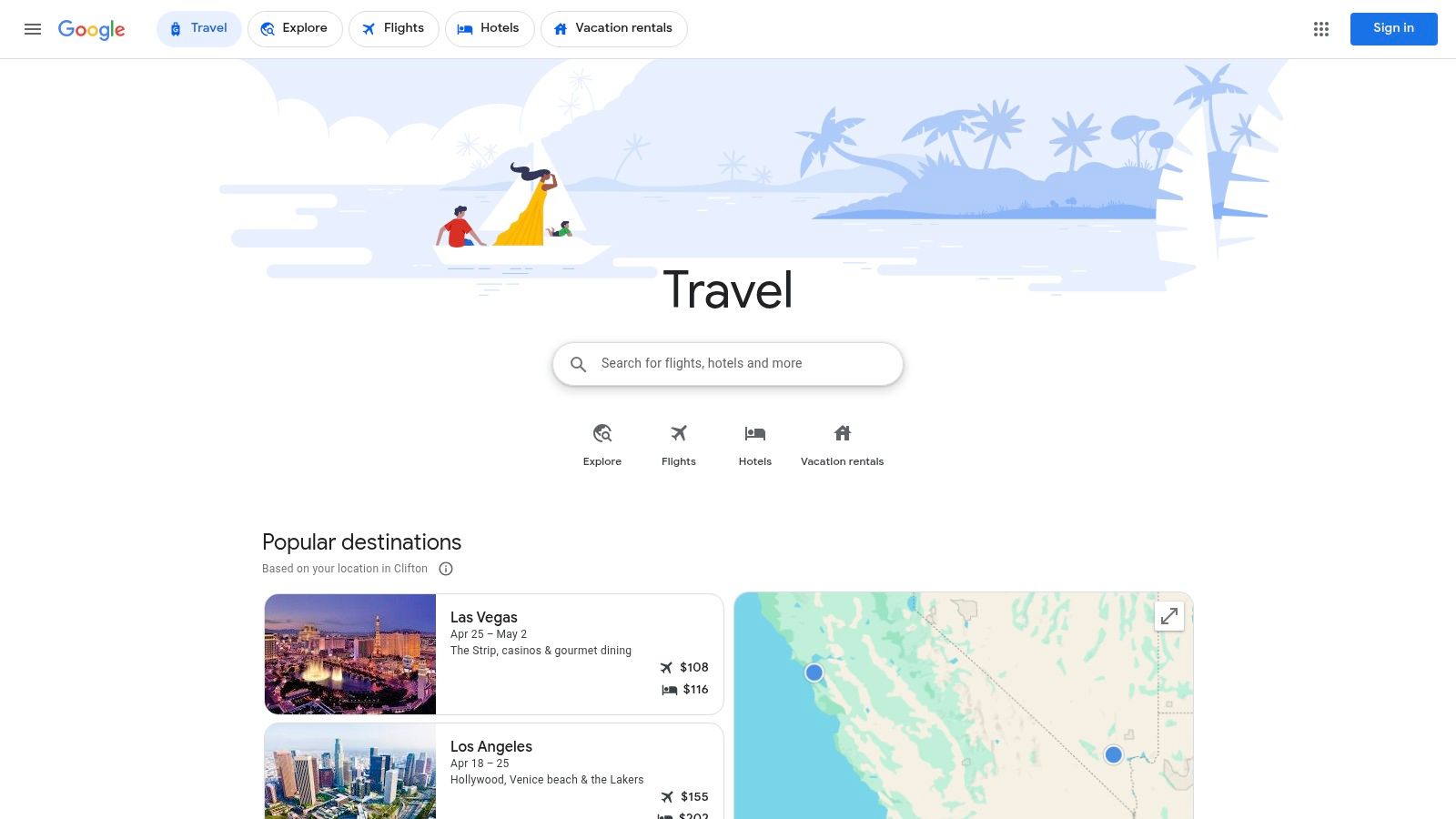
This travel itinerary planner app is constantly evolving, with new AI-powered features being rolled out that can generate suggested itineraries based on your interests. The strength lies in its ubiquity; nearly everyone with a smartphone has access to it, and it leverages the vast database of Google reviews, photos, and real-time data like opening hours and traffic.
Key Features & User Experience
The integration between saving a spot found in a search and seeing it on your map is flawless. You can create lists for different trips or days, adding notes to each location. Actionable Tip: Before your trip, download offline maps for your destination in Google Maps. This saves data and ensures you have navigation even without a cell signal. Also, check the "Popular times" graph for major attractions to avoid the biggest crowds. Google Travel also pulls flight and hotel reservations directly from Gmail to automatically build a basic trip timeline.
Website: Google Travel
Best For: Budget-conscious travelers and anyone deeply embedded in the Google ecosystem who values seamless integration between research, planning, and on-the-ground navigation.
Pricing:
- Free: All features are available at no cost.
| Pros | Cons |
|---|---|
| Completely Free: No subscriptions or hidden costs for any feature. | Less Prescriptive: Lacks the structured, day-by-day format of dedicated apps. |
| Seamless Ecosystem Integration: Flawlessly connects Maps, Gmail, and search. | Feature Rollouts: Some advanced AI features are still rolling out and not universally available. |
| Vast Data & Reviews: Leverages Google's extensive database of places. | Can Feel Disjointed: Requires using multiple apps (Travel, Maps) for full functionality. |
6. KAYAK Trips
Integrated within the popular KAYAK flight and hotel search engine, KAYAK Trips is a free and surprisingly capable tool for centralizing your travel plans. Much like TripIt, its primary function is to consolidate your booking confirmations into a single, cohesive itinerary. You can forward booking emails from any provider to a dedicated KAYAK address or sync your Gmail/Outlook account, and the platform will automatically parse the details and organize them chronologically. This makes it an excellent, no-cost alternative for travelers who want a simple way to keep all their reservation details in one place.
While it focuses on confirmed logistics, it also provides useful real-time updates. The platform sends flight status notifications, gate change alerts, and delay information directly to your device, ensuring you stay informed on travel day.
Key Features & User Experience
KAYAK Trips excels in its simplicity and integration with the broader KAYAK ecosystem. The user interface is clean, straightforward, and focused entirely on presenting your trip details without unnecessary clutter. Actionable Tip: While KAYAK is great for organizing logistics, use it in tandem with a discovery-focused app. Once you book a flight or hotel found via KAYAK, forward the confirmation to Trips, then use another app to plan the daily activities around those fixed points. You can also easily share your core itinerary with family and friends for better coordination.
Website: KAYAK Trips
Best For: Budget-conscious travelers and anyone who primarily needs a free, simple, and automated tool for organizing booking confirmations and receiving flight alerts.
Pricing:
- Free: All features, including itinerary creation, email sync, and flight alerts, are completely free.
| Pros | Cons |
|---|---|
| Completely Free: No hidden fees or premium subscriptions required. | Limited Planning Features: Not designed for in-depth daily activity planning or discovery. |
| Automated Organization: Easily consolidates bookings via email forwarding or sync. | Manual Forwarding Required: Doesn't support direct provider-to-KAYAK email connections. |
| Simple & Clean Interface: Uncluttered and easy to navigate for quick access to information. | Basic Compared to Competitors: Lacks advanced tools like seat tracking or alternate flight suggestions. |
7. Sygic Travel / Tripomatic
Sygic Travel, also known as Tripomatic on its iOS app, is a map-centric travel itinerary planner app built for travelers who prioritize on-the-ground navigation and offline access. It excels at creating day-by-day plans visually on a map, showing walking times and distance estimates between attractions. This map-first approach helps you build logical, efficient routes, preventing you from backtracking across a city and wasting precious vacation time.
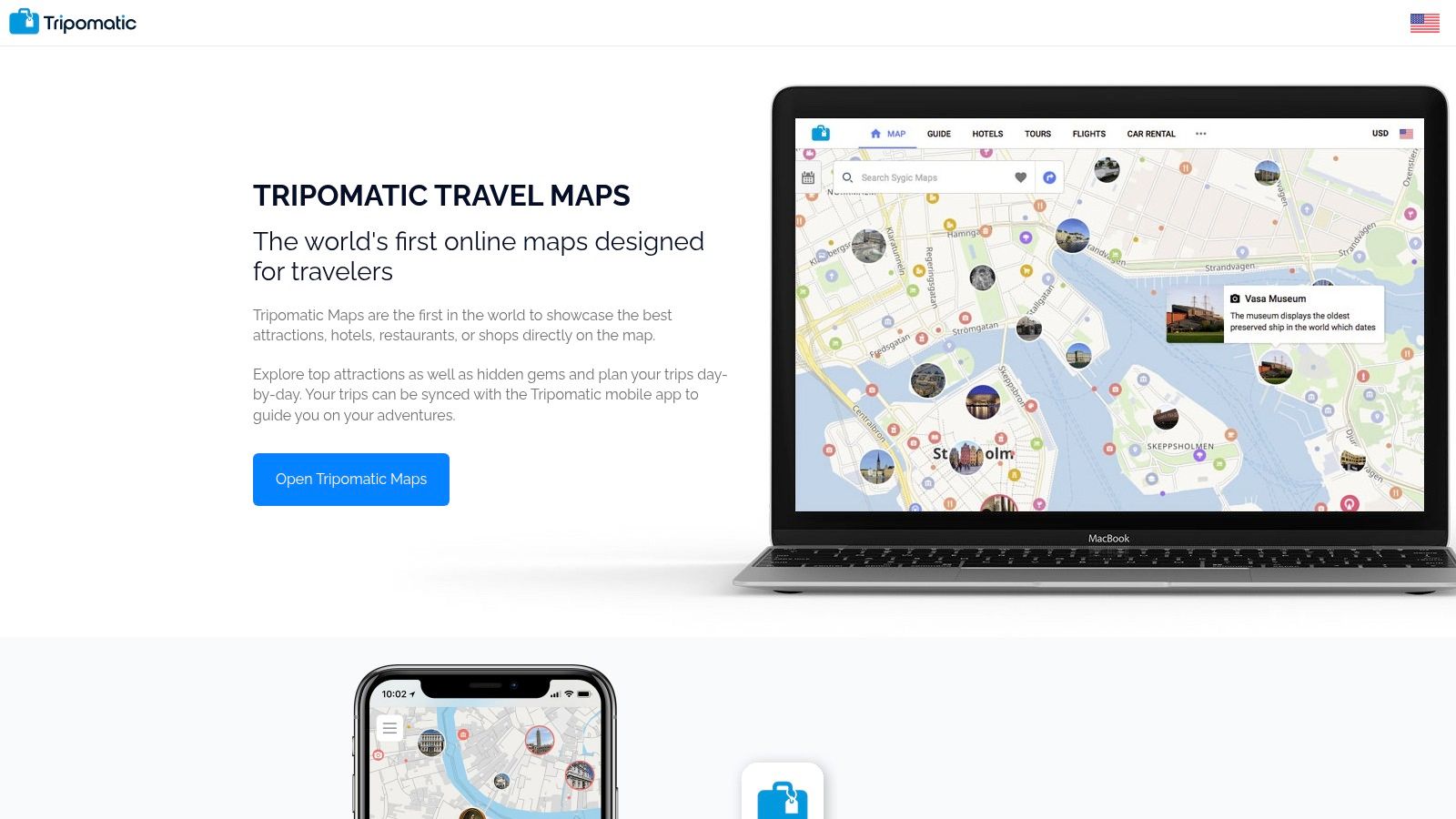
The platform leverages an extensive database of over 50 million places, including tours, hotels, and points of interest, allowing you to discover and add activities directly to your timeline. While the core planning tools are free, its premium version is what makes it a standout choice for international travel.
Key Features & User Experience
The premium subscription unlocks the platform's most powerful feature: offline maps and navigation. This is a game-changer when you're exploring areas with spotty internet or trying to avoid expensive international data charges. Actionable Tip: Download your destination's map before you leave home while you have reliable Wi-Fi. This keeps your itinerary and your turn-by-turn directions in one place, accessible even in airplane mode. The user interface is clean and focused on the map view, making it easy to visualize your daily schedule.
Website: Sygic Travel (Also known as Tripomatic)
Best For: Travelers exploring new cities on foot who need a reliable, integrated system for planning, offline mapping, and on-the-go navigation.
Pricing:
- Free: Core web and app-based itinerary planning.
- Premium: One-time purchase or subscription (pricing varies by platform, often around $19.99/year) for offline maps, navigation, and other advanced features.
| Pros | Cons |
|---|---|
| Strong Offline Capabilities: Premium version offers excellent offline maps and navigation. | Brand Confusion: Different names (Sygic Travel vs. Tripomatic) can be confusing. |
| Integrated Guides & Places: Large database of attractions simplifies discovery. | Platform Variations: Features and pricing can vary slightly between web and mobile apps. |
| Family Sharing Support: iOS Premium can be shared with family members. | Less Focus on Bookings: Not as robust for consolidating flight/hotel confirmations. |
8. Rome2Rio Trip Planner
Rome2Rio excels as a global, multimodal transport search engine first and a trip planner second. Its core genius lies in showing you how to get from Point A to Point B, anywhere in the world, by comparing flights, trains, buses, ferries, and driving, all in one search. For travelers piecing together complex, cross-border journeys, its ability to visualize and price out different transport combinations is an indispensable planning tool, making it a unique kind of travel itinerary planner app focused purely on logistics.
While its main function is search, the "Trip Planner" feature allows you to save these complex transport legs into a coherent route. You can add multiple destinations, reorder them, and see the entire logistical chain of your journey laid out. This is less about daily activities and more about solving the fundamental puzzle of movement between cities and countries.
Key Features & User Experience
The platform's strength is its simplicity and visual clarity. You enter your start and end points, and Rome2Rio presents a list of travel modes, complete with estimated travel times and price ranges. Actionable Tip: For budget travel in regions like Southeast Asia or Europe, use Rome2Rio to identify long-distance bus routes, which are often significantly cheaper than flights or trains and may not appear in other search engines. You can then click through to booking partners to secure your tickets. It's a powerful logistical assistant for the macro plan of your trip.
Website: Rome2Rio
Best For: Backpackers and long-term travelers who are creating complex, multi-country journeys and need to compare various modes of transportation to optimize their budget and time.
Pricing:
- Free: All transport search and trip planning features are free to use. Bookings are made through external partner sites.
| Pros | Cons |
|---|---|
| Exceptional Multimodal Routing: Unmatched at comparing transport options globally. | Web-Only Trip Planner: The trip-saving feature is not yet in the mobile apps. |
| Clear Cost & Time Comparisons: Easily visualize the trade-offs between different routes. | Transport-Focused: Lacks features for planning daily activities, dining, or attractions. |
| Great for Complex Logistics: Perfect for planning overland or multi-country trips. | Basic Itinerary Features: The planner is more of a route-saver than a full itinerary builder. |
9. Visit A City
Visit A City excels at simplifying short urban getaways by providing pre-built, customizable sightseeing itineraries. Instead of starting from scratch, you can select a city and choose from ready-made plans like "Paris in 3 Days" or "Rome Top Attractions." These templates are packed with popular sites, logical walking routes, and practical details, which you can then edit to fit your personal pace and interests. It's an excellent solution for travelers who feel overwhelmed by the sheer number of choices in a major city and want a structured, efficient starting point.
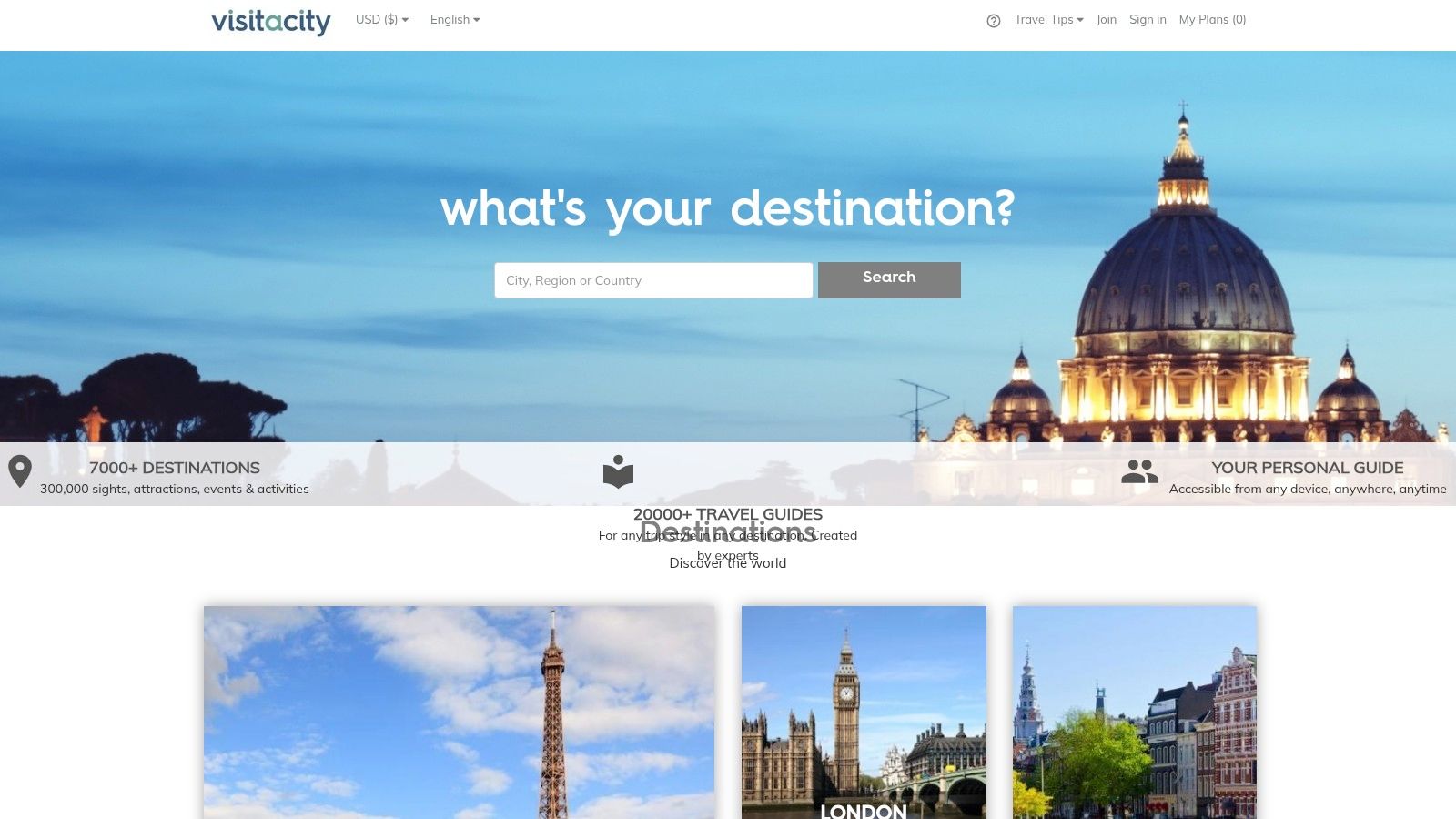
The platform’s key differentiator is its integration of planning and booking. As you browse your itinerary, you can purchase skip-the-line tickets for museums, book guided tours, and secure other attractions directly within the app. This creates a seamless workflow, saving time and eliminating the need to visit multiple ticketing websites.
Key Features & User Experience
Visit A City provides essential information for each attraction, including opening hours, estimated visit duration, and a brief description, making on-the-ground decisions much easier. Actionable Tip: Even if you customize a pre-built plan, pay attention to the original walking routes. They are often optimized to minimize travel time between sights. Booking tickets for major attractions like the Colosseum or Louvre in advance through the app is highly recommended to avoid long queues, especially during peak season (June-August in Europe).
Website: Visit A City
Best For: First-time visitors to major cities and weekend travelers who want a time-saving, turnkey plan with integrated booking for tours and attractions.
Pricing:
- Free: All itinerary planning features, maps, and guides are available for free.
- Optional: In-app purchases for tours and attraction tickets.
| Pros | Cons |
|---|---|
| Time-Saving Templates: Pre-built itineraries offer an excellent starting point. | Narrow Focus: Primarily designed for cities, not road trips or rural travel. |
| Integrated Booking: Purchase tickets and tours directly within your plan. | App vs. Web Discrepancy: Some users report functionality can vary between platforms. |
| Practical & Efficient: Focuses on logistics, opening hours, and routes. | Less Suited for Deep Customization: Better for following plans than building from zero. |
10. Travefy
Travefy is a professional-grade itinerary builder primarily designed for travel advisors, but its powerful toolset is also available to individuals willing to subscribe. It excels at creating highly polished, client-ready travel documents, proposals, and live itineraries. The platform goes beyond simple scheduling, incorporating features like CRM, invoicing, and forms, making it a comprehensive business solution for travel professionals who need to manage the entire client lifecycle, not just the trip itself.
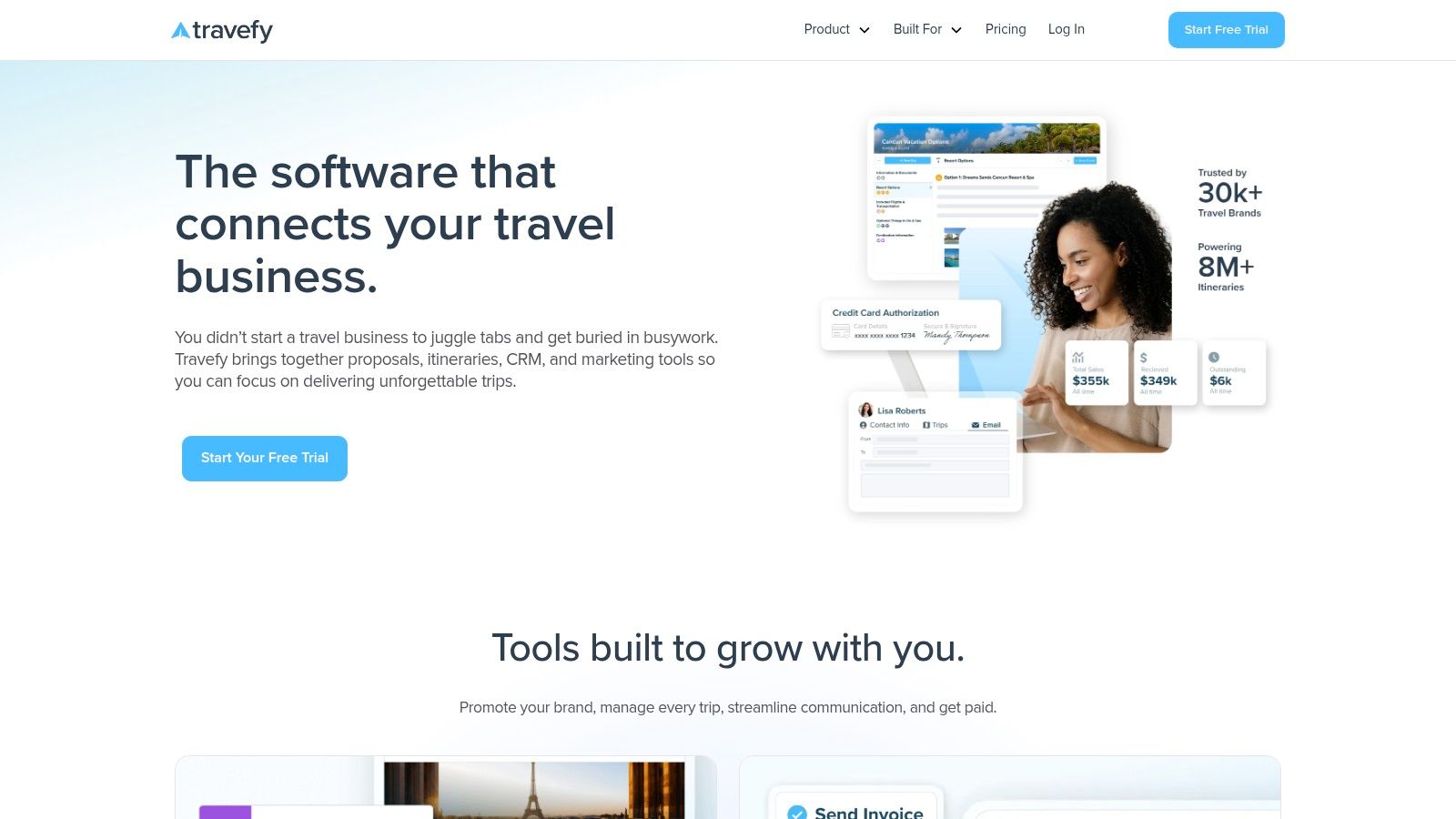
For a consumer, using Travefy is like getting access to the same high-end tools your travel agent uses. Its drag-and-drop builder allows you to import flight and hotel details, add rich content like photos and notes, and view everything in a beautiful, shareable format. The platform also includes a mobile app, Trip Plans, where travelers can access the live itinerary their advisor (or they themselves) created.
Key Features & User Experience
The user experience is geared toward efficiency and professional output. Travefy's strength lies in its ability to quickly assemble stunning proposals and itineraries from a library of saved content, making it ideal for those who plan similar trips often. Actionable Tip: If you are the designated planner for your family or a group of friends, the monthly cost could be worthwhile for organizing a complex, multi-destination trip. You can create a professional-grade document with all booking numbers, addresses, and contacts that everyone can access via the Trip Plans app. This is particularly effective for effective group trip planning.
Website: Travefy
Best For: Travel advisors, agencies, or detail-oriented individuals who want to create professional, presentation-quality itineraries for themselves or others.
Pricing:
- 10-Day Free Trial: Full access to professional features.
- Plus Plan: $49 per month for solo advisors and power users.
- Team Plans: Custom pricing available for agencies.
| Pros | Cons |
|---|---|
| Highly Polished Output: Creates beautiful, client-ready itineraries. | Professional Pricing: The cost is geared towards business users, not casual travelers. |
| Comprehensive Toolset: Includes CRM, invoicing, and automation for professionals. | Learning Curve: May be overly complex for simple personal trip planning. |
| Excellent Collaboration: Scales from solo planners to large agency teams. | Consumer Focus is Secondary: Primarily designed as a B2B tool. |
11. Apple App Store
While not a travel itinerary planner app itself, the Apple App Store is the essential gateway for every iPhone and iPad user to find one. It serves as the primary, secure marketplace for discovering, comparing, and installing the very apps featured in this list, from TripIt to Wanderlog. For iOS users, it’s the definitive starting point, offering a centralized place to read user reviews, check ratings, and understand the privacy policies of each application before committing.
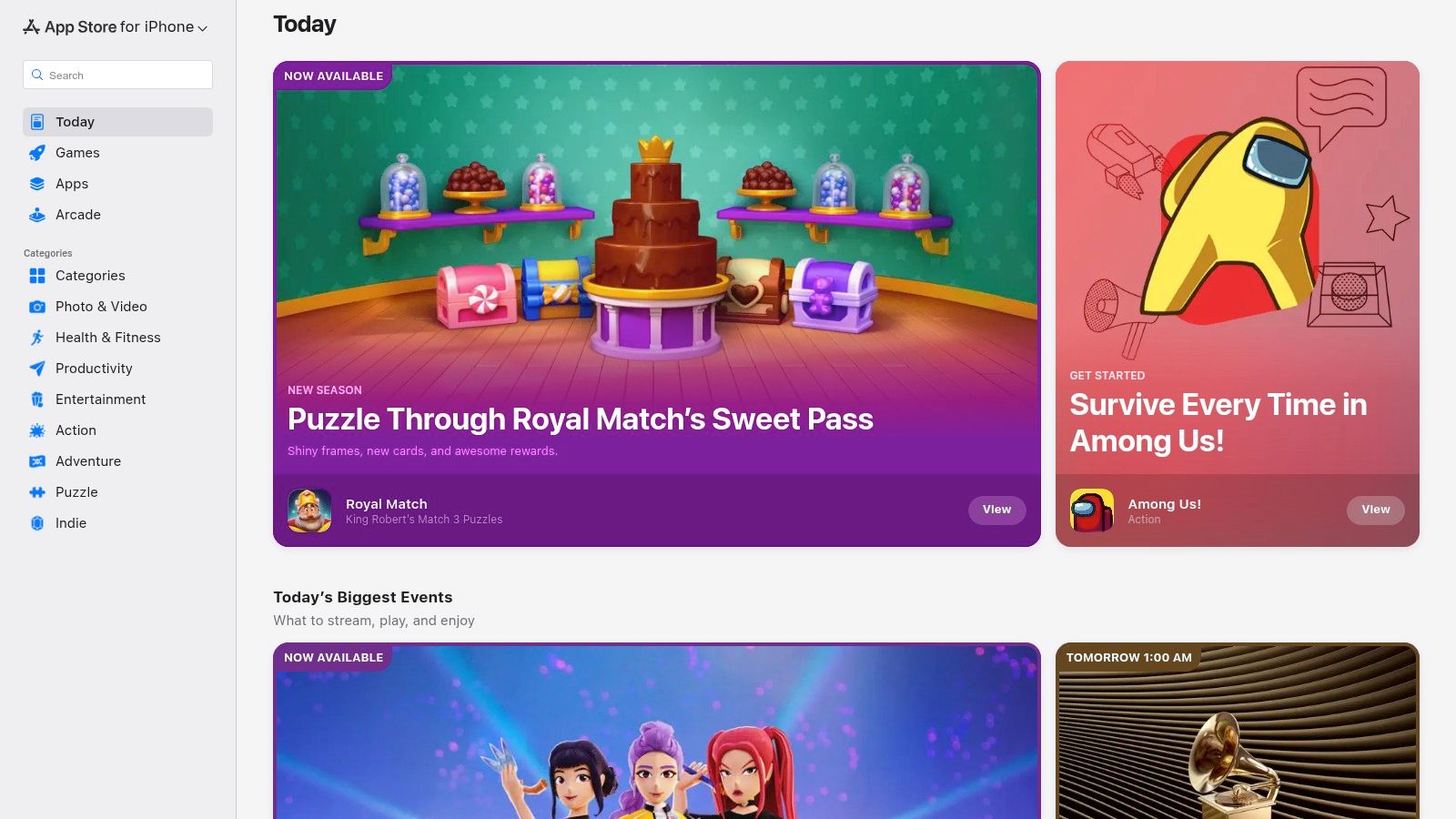
The App Store excels at providing transparency, clearly outlining in-app purchases and subscription costs, so you know exactly what features are free and which are behind a paywall. This helps travelers make informed decisions based on their budget and needs. For developers aiming to reach this audience, understanding this ecosystem is crucial. Once a perfect app is ready, an essential step is learning more about how to publish your app in the App Store to connect with millions of potential users.
Key Features & User Experience
The platform's strength lies in its curation and user feedback systems. Editorial collections like "Apps We Love" often highlight innovative travel tools, while detailed user reviews provide real-world insights into an app's functionality and reliability. Actionable Tip: Before downloading, always check the "In-App Purchases" section to understand the true cost. Also, look at the "Version History" to see how frequently the developer updates the app, which is a good indicator of its reliability and support.
Website: Apple App Store
Best For: iPhone and iPad users looking for a secure and transparent way to discover, compare, and download the best travel planning apps available on the iOS platform.
Pricing:
- Free to Use: Browsing and downloading free apps costs nothing.
- Varies by App: Individual apps may be free, require a one-time purchase, or offer subscriptions/in-app purchases.
| Pros | Cons |
|---|---|
| Safe & Verified: Official source for vetted apps from verified developers. | iOS-Only: This marketplace is exclusive to Apple devices. |
| Transparent Comparison: Easily compare ratings, reviews, and pricing. | Varying App Features: App functionality may differ from Android or web versions. |
| Centralized Management: All downloads, updates, and subscriptions are in one place. | In-App Purchase Reliance: Many apps lock their best tools behind paywalls. |
12. Google Play Store
While not a planner itself, the Google Play Store is the essential gateway for Android users to access nearly every travel itinerary planner app on the market. It serves as the primary, secure marketplace to discover, evaluate, and install tools like Wanderlog, TripIt, and many others. Its strength lies in its role as a trusted, centralized hub where users can compare apps, read authentic user reviews, and manage subscriptions safely. For anyone on an Android device, this is the starting point for finding the perfect planning companion for their next trip.
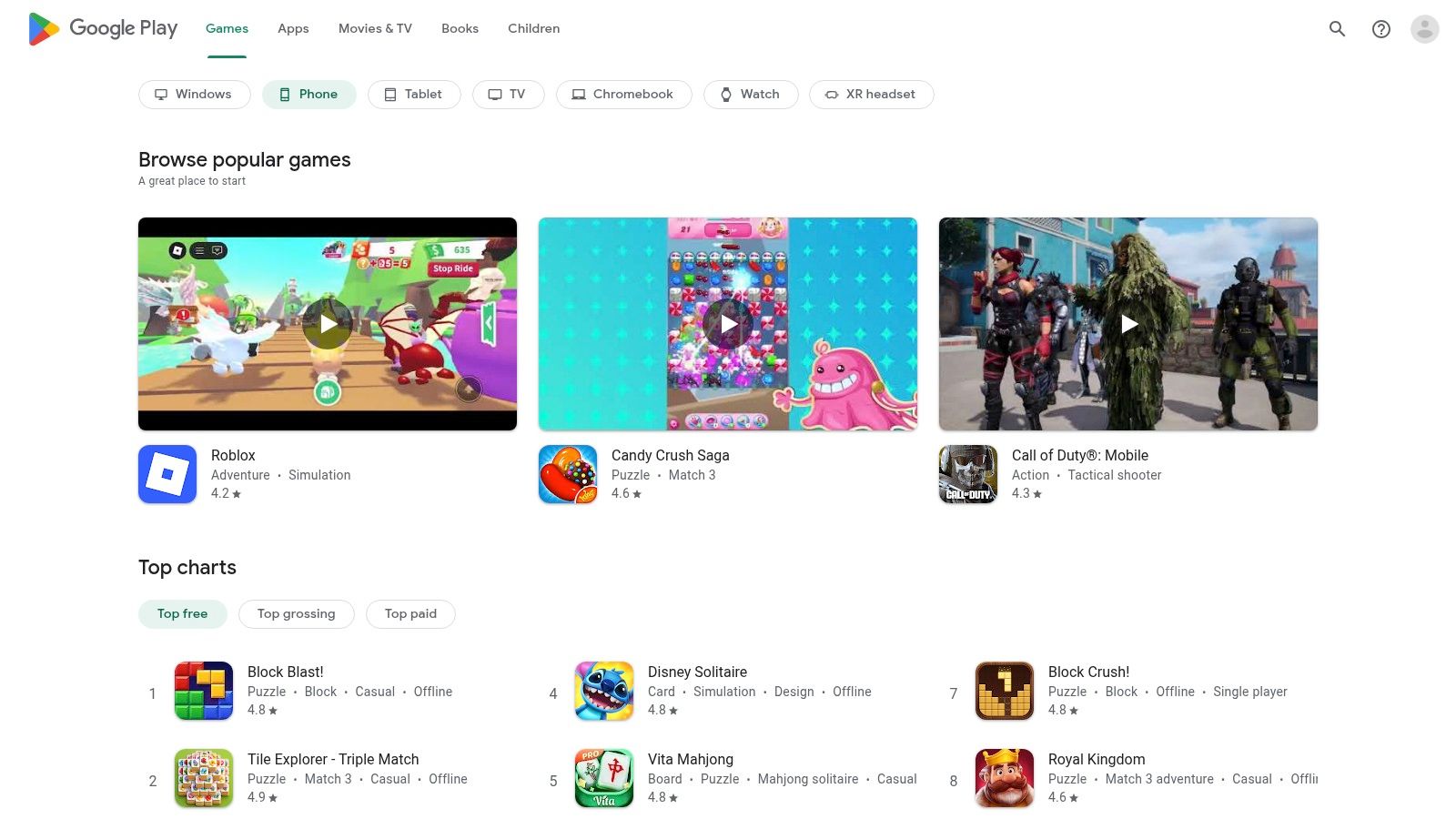
The platform provides crucial transparency that helps travelers make informed decisions. Each app listing details necessary device permissions, developer information, update histories, and clear in-app purchase or subscription costs. This ensures you understand what you're downloading before you commit.
Key Features & User Experience
The Google Play Store excels at organizing a vast catalog of apps into searchable categories, making it easy to find a "travel itinerary planner app" that fits specific needs. Users can filter results and rely heavily on community-driven ratings and detailed reviews. Actionable Tip: Pay close attention to recent reviews (filter by "Most recent") to check for any new bugs or issues after a recent update. Also, look for developer responses to negative reviews, as this shows they are actively supporting their app.
Website: Google Play Store
Best For: Android users seeking a secure and comprehensive marketplace to discover, compare, and install the ideal travel planning app for their specific needs.
Pricing:
- Free to use the store: App prices vary from free with ads to one-time purchases or recurring subscriptions.
| Pros | Cons |
|---|---|
| Trusted source for Android apps: Broad catalog of vetted itinerary planners. | Android-Only: Not applicable for iOS users, who use the Apple App Store. |
| Clear Listing Information: Details in-app purchases and subscription handling. | Quality Varies Greatly: Users must carefully check ratings and reviews. |
| Centralized Management: Easily update and manage all travel apps in one place. | Feature Discrepancies: App features and pricing can differ from their iOS versions. |
Top 12 Travel Itinerary Planner Apps — Feature Comparison
| Product | Core features | Best for | Unique selling point | Price |
|---|---|---|---|---|
| Dream Trip (Recommended) | One‑tap saves from TikTok/Instagram/Maps; city‑organized unified map; AI itinerary builder & scheduling; Trip Cost & Best Time tools | Social‑media‑savvy travelers, weekenders, groups, creators | True one‑tap social capture + automatic city map + AI travel assistant | Free app; premium/tier details not published |
| TripIt | Auto‑build from booking confirmations; calendar sync; offline access; Pro flight alerts | Travelers who centralize bookings and need flight disruption tools | Robust Pro features: real‑time flight alerts, fare/seat tracking | Free; TripIt Pro subscription |
| Wanderlog | Drag‑and‑drop day planner, map pins, budgeting, collaboration, expense splitting | Group trips, road trips, shared planning | Strong group collaboration + road‑trip optimization | Free; Pro for offline & exports |
| Roadtrippers | Multi‑stop routing, large U.S. POI database, RV routing, starter AI itineraries | U.S. road trips and RV users | Deep U.S. POI coverage + RV‑friendly routing | Free; membership unlocks full features |
| Google Travel & Maps | Save lists, visualize on Maps, hotel price tracking, Gmail/Calendar integration, AI features rolling out | Research, discovery and navigation across devices | Ubiquitous data, reviews and seamless navigation integration | Free |
| KAYAK Trips | Auto‑create from forwarded confirmations; email sync; price tracking; itinerary sharing | Travelers who want free, simple booking organization | Completely free booking organizer with price tracking | Free |
| Sygic Travel / Tripomatic | Map‑first day planner, walking times, large place database, offline maps/navigation (Premium) | Travelers needing offline maps and integrated guides | Premium offline maps + navigation with day planners | Free; Premium for offline/maps |
| Rome2Rio Trip Planner | Compare flights/trains/buses/ferries/driving; Trip Planner to save multi‑leg routes | Complex cross‑border, multimodal transport planning | Exceptional multimodal comparisons across 160+ countries | Free (book via partners) |
| Visit A City | Prebuilt customizable city itineraries; in‑app tour/ticket booking; opening hours | Short city breaks and sightseeing-focused trips | Turnkey city itineraries with ticketing options | Free; in‑app bookings |
| Travefy | Drag‑and‑drop professional itineraries, CRM, invoicing, client apps, team tools | Travel advisors, agencies, and pro planners | Polished client‑ready itineraries + back‑office agency tools | Paid / subscription for professional use |
| Apple App Store | App discovery, ratings/reviews, pricing & IAP listings, editorial picks | iPhone/iPad users discovering itinerary apps | Official iOS marketplace with transparent app pricing & reviews | Marketplace (free to browse) |
| Google Play Store | Verified developer listings, permissions, subscription handling, updates | Android users installing itinerary apps | Official Android marketplace with install/permission details | Marketplace (free to browse) |
Our Pick: The Best App for Turning Inspiration into Action
Navigating the landscape of travel itinerary planner apps can feel like planning a trip itself-overwhelming, with countless options pulling you in different directions. We've journeyed through the robust, logistics-focused powerhouses like TripIt and the comprehensive transport hubs of Rome2Rio. We explored the road-trip-centric universe of Roadtrippers and the familiar, powerful ecosystem of Google Travel. Each tool offers a unique strength, tailored to a specific type of traveler.
For the modern adventurer, however, planning a trip no longer starts with a booking confirmation. It begins with a spark of inspiration, a 15-second TikTok video of a hidden waterfall, an Instagram Reel of a bustling market, or a saved pin of a breathtaking viewpoint. This is where the traditional planning process often breaks down, leaving a frustrating gap between digital discovery and real-world execution.
After extensive comparison, our top recommendation for bridging this gap is Dream Trip. While other apps excel at organizing what you’ve already decided, Dream Trip is built for the crucial first step: capturing and structuring your inspiration.
Why Dream Trip Wins for the Modern Traveler
The core challenge for many travelers today is not a lack of ideas, but a lack of organization for those ideas. Your phone is likely a treasure trove of screenshots, saved posts, and bookmarked links. Dream Trip’s standout feature-its seamless integration for saving spots directly from TikTok and Instagram-directly solves this modern planning problem. It transforms passive scrolling into active, productive trip planning.
Instead of manually searching for that cafe you saw last week, you can add it to your map with a single tap. This functionality alone positions Dream Trip as an essential tool for the social media-savvy traveler, from solo adventurers and couples planning a weekend getaway to travel influencers curating the perfect guide.
From a Saved Post to a Real-Life Plan
Dream Trip's excellence doesn't stop at content capture. It provides the essential scaffolding to build a complete itinerary around your saved gems. Here’s how it creates a seamless workflow:
- AI-Powered Itinerary Generation: Once you've populated your map with saved spots, the AI can suggest a logical, efficient route. It takes the guesswork out of scheduling, optimizing your time so you can see more without backtracking.
- Integrated Budgeting: The built-in cost calculator is a practical tool that keeps your dream trip grounded in reality. You can track expenses as you add activities, ensuring your plans align with your budget from the very beginning.
- Collaborative Planning: For group trips, families, or couples, the ability to share and build a plan together is invaluable. Everyone can add their must-see spots, turning a solo research project into a fun, collective effort.
While a powerhouse like TripIt remains unbeatable for managing a flurry of existing flight and hotel confirmations, it serves a different purpose. It’s a digital file cabinet for your bookings. Dream Trip, on the other hand, is your creative studio and command center. It’s the ultimate travel itinerary planner app for those who want to turn their digital wishlist into a tangible, actionable, and unforgettable adventure.
Ready to stop dreaming and start planning? Transform your saved social media posts into your next great adventure with Dream Trip. It’s the travel itinerary planner app designed to capture your inspiration and turn it into a perfectly organized plan. Download Dream Trip today and build the trip you’ve always imagined.


